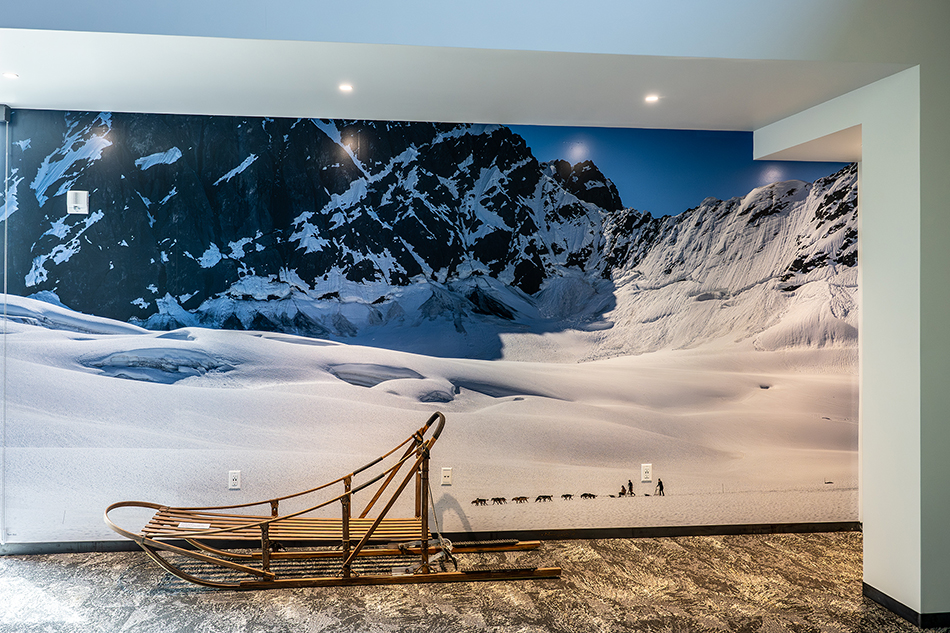
Recently here in Palmer, Alaska (where I live) the visitor bureau just built a beautiful new visitor center for travelers coming through. I have been shooting assignments for this tourism bureau for over 25 years, and it has been some of the most enjoyable assignments I have done. It is not every day you get a helicopter loaded with models and fly into the foothills below Denali to do a photo shoot. Or go riding on the back of a snow machine at -25F chasing a famous Iditarod musher for some winter photographs. One minute I am photographing blueberry cheesecake for a food shot, the next photographing guys ice climbing on a glacier. Good times!
Walking through the new visitor center I was dazzled at the size of prints and displays. Probably the most striking was a dog sledding image on the back wall of the visitor center, probably about 8×15′ in size, with an actual dog sled sitting below the display (image at top of this post). I took a closer look at the image, and the sharpness and contrast was fantastic. Which reminded of a recent discussion on a photo workshop on file size. Just how big of a file do you really need to make large prints? Do I need to do multiple frame panos to create a large print…like this dog mushing wall mural? Is 24MP enough? All great questions!
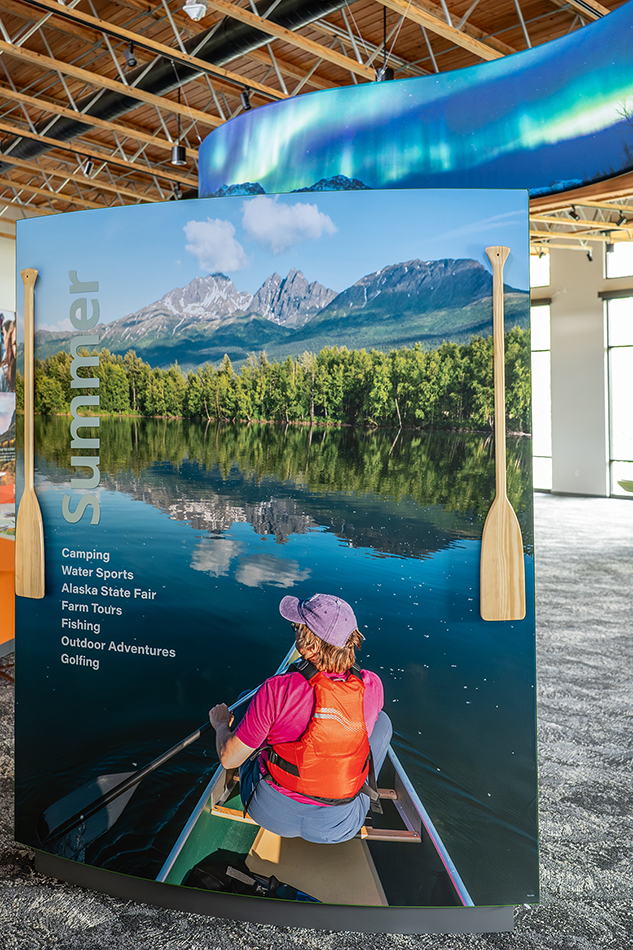
First, there is one advantage to shooting a higher megapixel camera (larger file size) that wildlife photographers love…the ability to crop. Many cameras these days have file sizes of 45-50MP, so you have a lot of room to crop if you can’t get close enough to your subject. I can crop much of my 45MP image and still have a large file. But remember, always try to fill the frame when you can…you get a better file as a result. Some of my clients don’t accept cropped files, they want original full frame files…a few even request my raw files.
So just how big of file do you need? With today’s image quality and computer software options, it might not be as big as you think. Five years ago I was speaking for Nikon at CES in Las Vegas, the largest trade show in the world. Every camera company was there, with show rooms displaying equipment and images. Nikon had printed an image I took on a Z6, a 24MP camera. If I opened this file in Photoshop the image size would be roughly 14×20″. But the print Nikon was displaying was about 4×6′, a very large print.
Many printers would tell you it really relates to dots per inch and viewing distance…if you walk up close to a large print or display it will look pixelated and not sharp. I’d seen an image of mine on a billboard in Seattle, and sure enough, when I saw it up close you could see it was soft. But from a distance it looked sharp.
At the Nikon booth I walked up to this Z6 24MP print until my nose was almost touching it…and it looked tack sharp. I couldn’t believe it. A 24MP file could produce this tack sharp huge print. This one experience changed my view on modern printing and interpolation (making files larger using software).
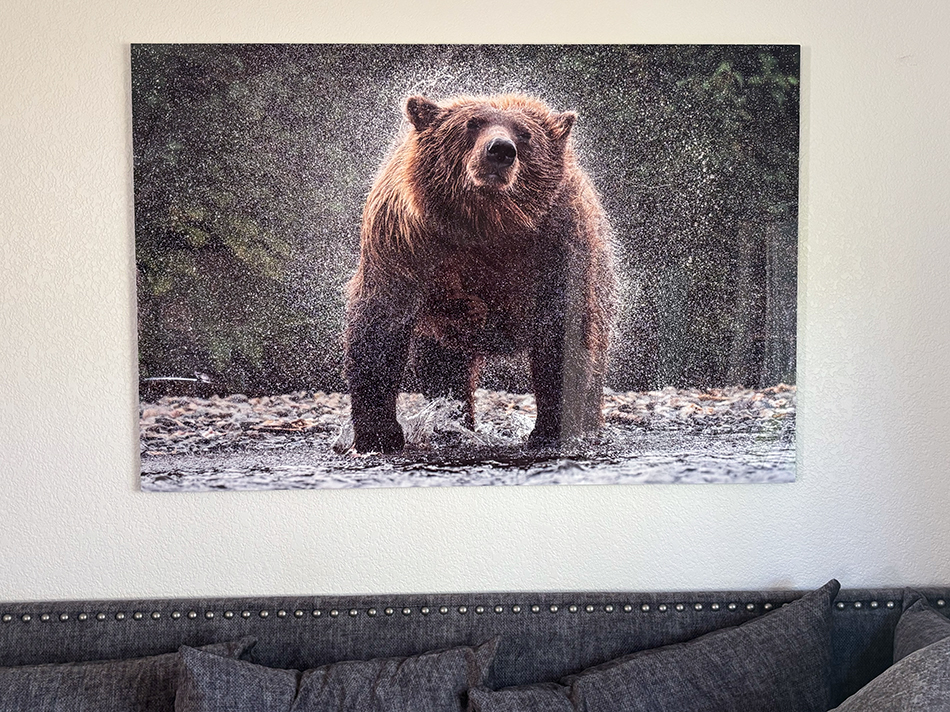
Here is another example. Last year we were adding prints to our home in Palmer. We really liked one image of a brown bear spinning and shaking water off itself after fishing for salmon. The file was shot on a Z9, a 45MP camera. But to get the image the way we liked, we cropped this image down to a 22MP file size. We sent the image to Bay Photo and had them print it on metal at 3×5′. And guess what…we look at this photo everyday, and it is tack sharp from a foot away…all from a small file.
The bottom line for printing is this. You can make incredible large prints from 24MP files, probably bigger than most photographers will want. There is software that can enlarge your native file to much larger size, and produce striking resolution to create large prints. Just remember that you need a tack sharp file to work with if you are going to res up a file.
End use will determine how much file size you will need. Social media doesn’t need much to post a super cropped picture on Instagram. An 8.5×11″ print will also work from a small file size. But if you start printing larger sizes on high end media, you will want larger files for the best results. I can print approximately 20×30″ from a native 45MP file. If I am going to print larger, then I will need to res up the file size.
What about the dog sled mural in the visitor center? You might think I needed to shoot a multiple frame pano to create this mural. But the truth is this shot was from a single 45MP file…and it created a 8×15′ mural with great resolution. You would be able to get more resolution if you did a multiple frame pano, but do you really need it? One 45MP file created a huge wall mural that my client used as a center piece to their exhibit. Good enough for me…
Don’t get me wrong, it can be fun stitching multiple images together to create a massive file, and the resolution will be off the charts. We had a participant in Antarctica last winter stitch together an incredible pano of an iceberg….the resolution was striking. In the end it is what you want (or need) for your final image use, you are the photographer, and creating images is supposed to fun! The most important thing is you grab your camera and go out and shoot! Don’t get too hung up on file size, you probably have more than you need…
.