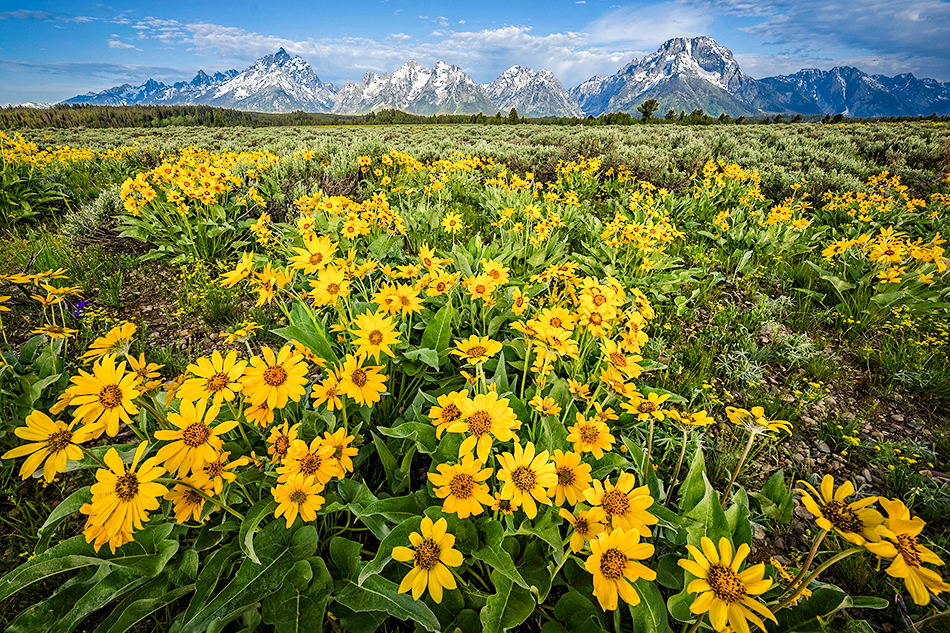
I just returned from the Tetons, and the flowers were incredible. They had a wet spring, and it seemed the yellow balsam root flowers stretched for miles in some areas. I love grand landscapes with flowers in the foreground, so I started working forced perspective landscape images using the flowers as my foreground. If you aren’t familiar with forced perspective, take a look at this blog post. I use my 14-24mm at 14mm only inches away from the foreground. This enlarges the foreground elements (in this case, yellow flowers), and allows you to change the balance between foreground and background.
The challenge with these extreme wide angle images with a lots of dimension is getting everything sharp. With a foreground about 11 inches away, and background mountains in the distance, depth of field can be challenging. I do often use F16 for wide angle landscapes where my foreground isn’t so close to my lens, and things look great (even with a little diffraction at F16). But often for forced perspective landscapes I will use three frame focus stacking.
Focus stacking landscapes doesn’t require the large amount of images that a macro shot will require. I often shoot three different frames at F8…foreground, middle ground and background. There is enough overlap at F8 to produce tack sharp results throughout the frame. The only thing you have to do is focus stack the images. While you can use software like Helicon Focus, I just stack my images in Photoshop. Follow these simple steps to create your own focus stack.

First, you need to find the folder on your desktop that has the images you want to stack. Go to File-Scripts-Load images in to stack.

Next, click on the folder with the images, and select them all and hit okay.

Now you should have Photoshop open with three layers in it (your three images). You need to select all three layers, so I just Shift click on the bottom layer (with the top layer already selected) so all three layers are selected.
Now go to the menu bar at top (in Photoshop), and choose Edit-Auto Align layers. This will align the images in case there was slight movement when you took the three images.

Next, go to Edit-Auto Blend layers. When this window opens up select Stack Images.
That’s it! Photoshop will combine the sharp areas of all three images giving you a tack sharp image from foreground to background. Focus stacking doesn’t work with windy conditions with lots of moving subject matter. In that case try using a single image at F16 with a fast shutter speed.
Happy shooting!