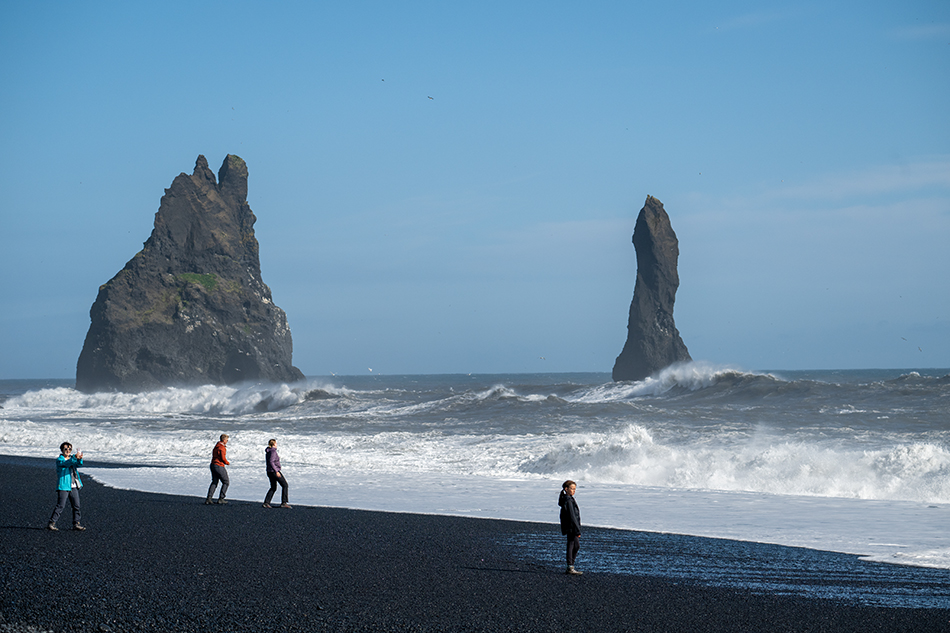
The Remove Tool has become a favorite Photoshop tool of mine. It just removes objects with a simple brush stroke, with a little help from AI. We also have a Remove Tool in ACR and Lightroom Classic, which never seemed to be nearly as good as the Remove Tool in Photoshop. But with recent updates, that has changed.
First off, we are talking about the Remove Tool in the RAW workflow, either ACR or Lightroom. What’s new with the tool is its ability to remove distractions. Take a look at this image from Iceland. The popular black sand beach at Vik generally has some people on it unless you arrive early in the morning. In the past I would have tried to remove these people by brushing over them individually with mixed results in Adobe Camera Raw. More likely I would have just opened the image in Photoshop and taken the people out using the Remove Tool there.
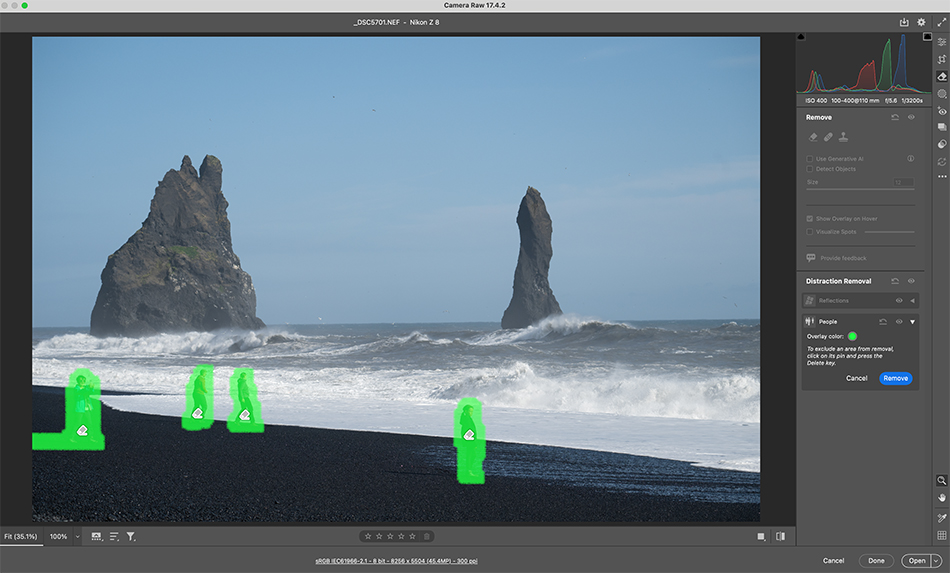
But with distraction removal in ACR this gets a lot better. I just choose the People option in distraction removal, and Photoshop (or Lightroom) automatically selects the people, and I just hit the Remove button and they are seamlessly removed from the image. Wow! You will also see a Reflection removal choice, which works well too.
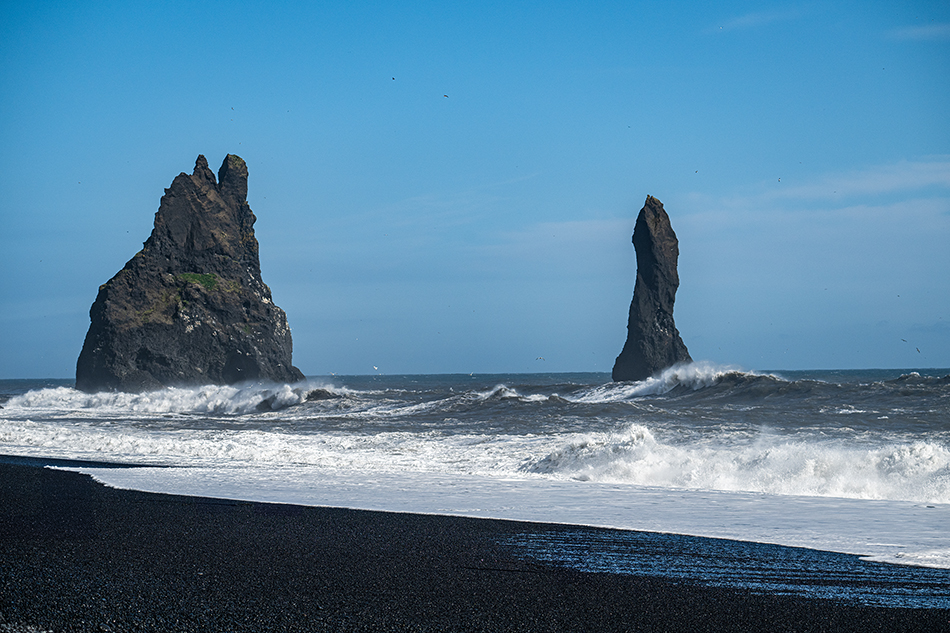
Here is the final shot after people removal. AI is getting integrated in many ways to our workflow, and the results are impressive. Adobe has done a great job adding more power and effectiveness on the Remove Tool in Lightroom Class and ACR. And don’t forget the Remove Tool in Photoshop has even more options, like remove wires and cables!